
DriveBridge
Your apps, websites, radio and TV sound in one place, also in Android Auto.
Coming soon to Google PlayFor Android 10 and newer. Not available to download yet.
- No account
- No ads
- No tracking
- HTTPS-only browser
- Android Auto audio
A clean launcher for the apps and sites you use most
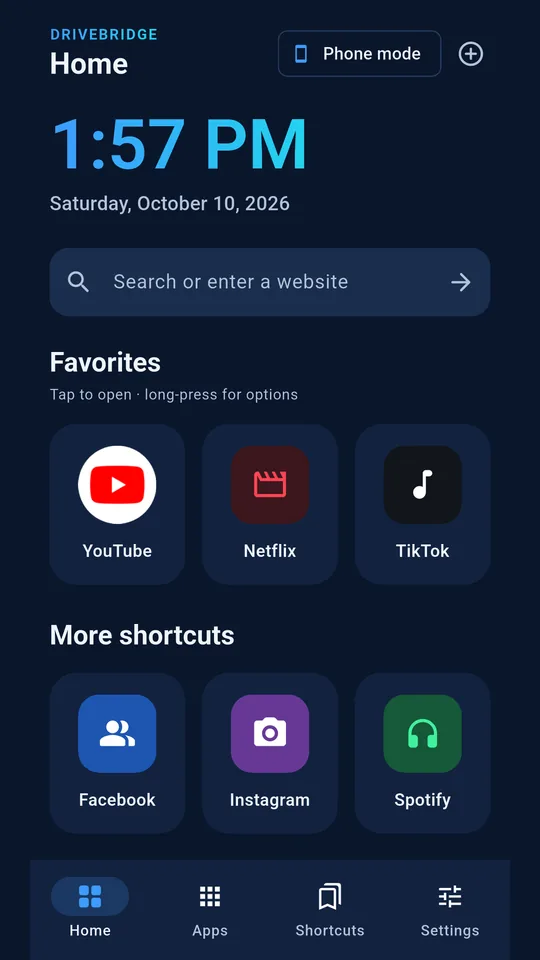
DriveBridge puts your favorites on large, easy-to-tap tiles, opens websites in a built-in browser that only loads secure pages, and plays internet radio and TV sound on your phone or in your car.
-
One tap to your favorites
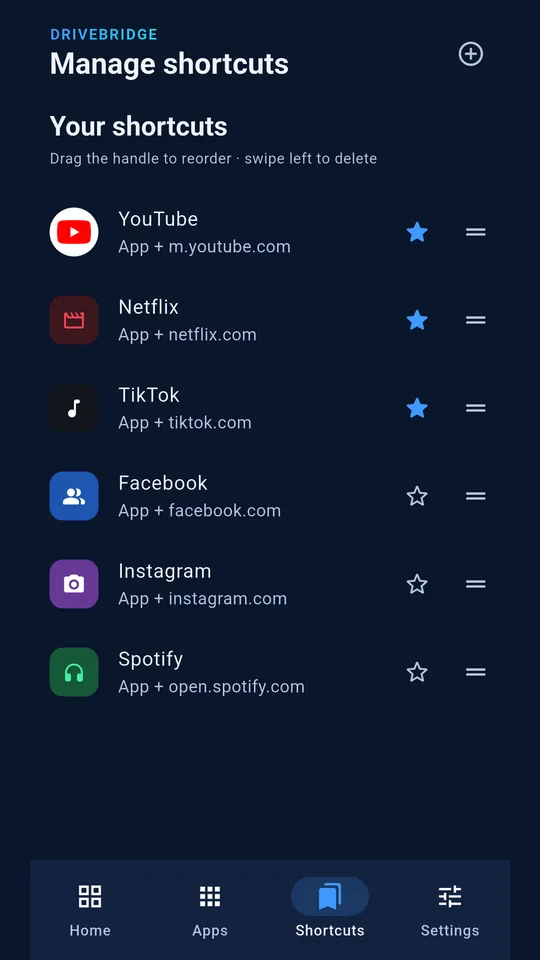
Large tiles for your favorite apps and websites, with a big clock and date on Home. Star the ones you use most, drag to reorder, and long-press any tile to edit or remove it.
-
Your installed apps
Browse and search the apps on your phone and turn any of them into a shortcut with one tap. If an app isn't installed, DriveBridge offers to open its website instead.
-
A browser that fits
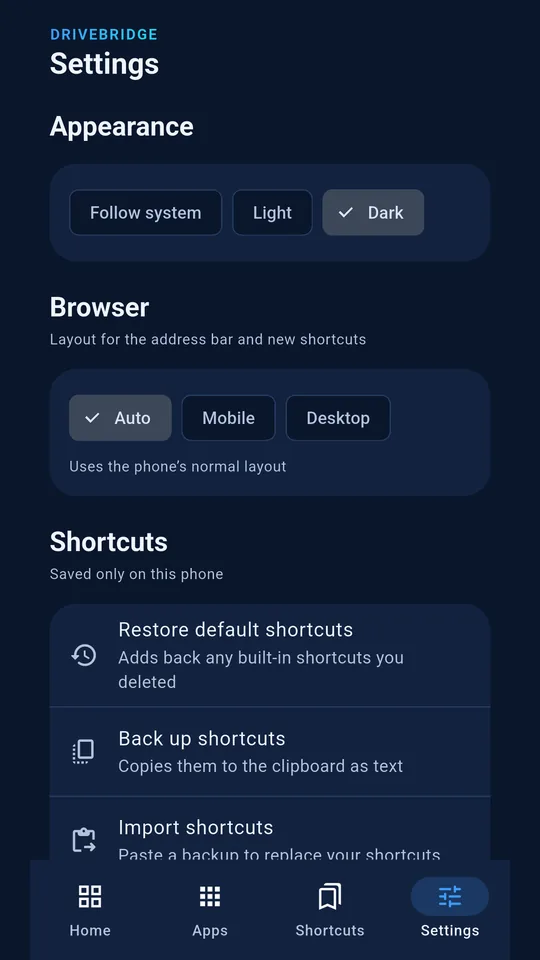
The built-in browser opens secure (HTTPS) websites only. Choose Auto, Mobile or Desktop layout, and DriveBridge remembers it for each shortcut.
-
Links go to the right app
Links that aren't secure, or that belong to other apps such as email, are handed to the right app on your phone instead of opening inside DriveBridge.
-
Private by design
No account and no tracking. Your shortcuts are stored only on your phone, and you can back them up as text and restore them any time.
-
Made to be comfortable
Light, dark or follow-system theme. Works in portrait and landscape, and respects your phone's text size and animation settings.
Drive safely. Please don't watch video or browse on a screen the driver can see while the car is moving.
See it on a phone
-
Home -
Manage shortcuts -
Settings -
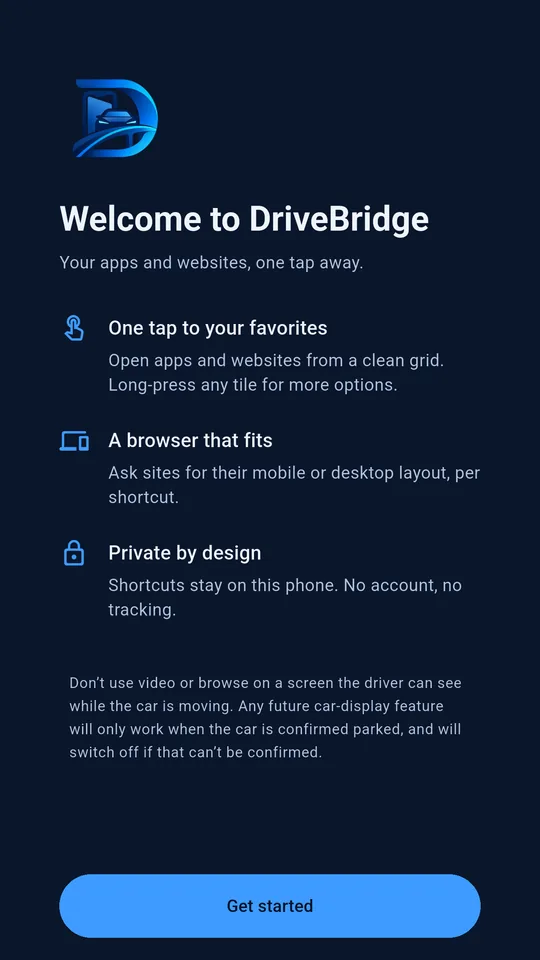
Welcome
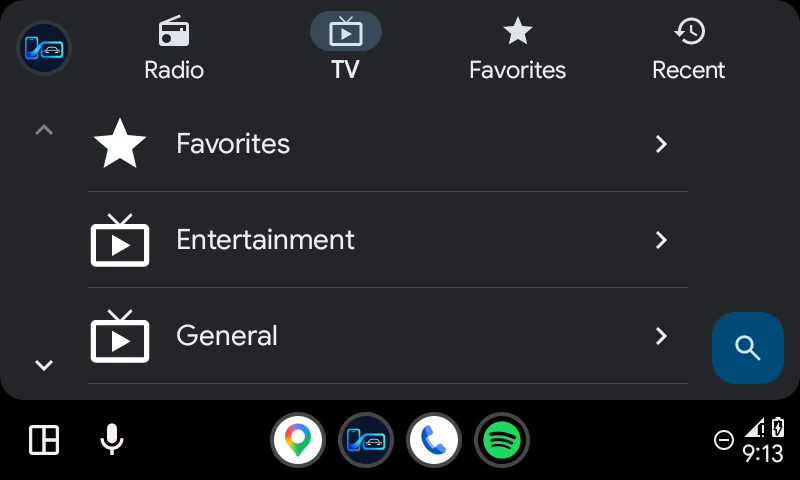
Radio & TV, also in Android Auto
Add internet radio stations and free TV channel lists, then listen on your phone, or in your car with Android Auto. Pick from Radio, TV, Favorites and Recent on the car screen, or ask by voice.
- Internet radio Stations from the Radio Browser community directory, or your own links.
- TV channel sound Free channel lists from iptv-org, or your own M3U playlist. TV plays as sound only.
- A–Z, with favorites first Star the stations you love and they appear at the top, on the phone and in the car.
Sound only: DriveBridge never plays video on the car screen. It doesn't host or check the streams in the lists you add, so some may be offline or unavailable in your country.
Everything you set up stays on your phone
DriveBridge does not collect, sell or share your personal data. Your shortcuts and your Radio & TV list stay on your phone, and website icons are downloaded directly from each website you add, never through a third-party service.
- No accountNothing to sign up for.
- No adsThe app shows no advertising.
- No analyticsNo tracking of what you tap or visit.
- No data collectedShortcuts and settings stay on your device.
This website keeps the same promise: no cookies, no analytics and no third-party scripts or fonts. Read the full privacy policy.
Questions and answers
Can I download DriveBridge now?
Not yet. DriveBridge is in testing and coming soon to Google Play. It runs on Android phones with Android 10 or newer.
How much will it cost?
US$1.49 on Google Play (Google Play sets the price in other currencies). There are no ads and no account to create.
Does it work with Android Auto?
Yes, for sound. Open DriveBridge in Android Auto to browse Radio, TV, Favorites and Recent and play a station or a TV channel's sound, or ask by voice. It doesn't show video or mirror your phone on the car screen.
Where do the radio stations and TV channels come from?
From the lists you add: one tap adds public lists from Radio Browser (radio-browser.info) or iptv-org on GitHub, or you can add your own playlist link. DriveBridge doesn't host, check or record any stream.
Why does the browser only open HTTPS websites?
Secure (HTTPS) pages are encrypted between your phone and the website. Links that aren't secure are handed to another app on your phone instead of opening inside DriveBridge.
Does DriveBridge collect my data?
No. There are no accounts, ads or analytics, and your shortcuts are saved only on your phone. Websites you open in the browser receive what any browser sends, and their own privacy policies apply. See the privacy policy.